How to file a San Francisco assessment appeal online
Follow the Assessment Appeals Board portal from account setup through payment and the two confirmation emails.
Gather these before you begin
- Your Annual Notice of Assessed Value or tax bill
- Block and lot or assessor parcel number
- Your January 1 opinion of value
- Applicant contact and mailing information
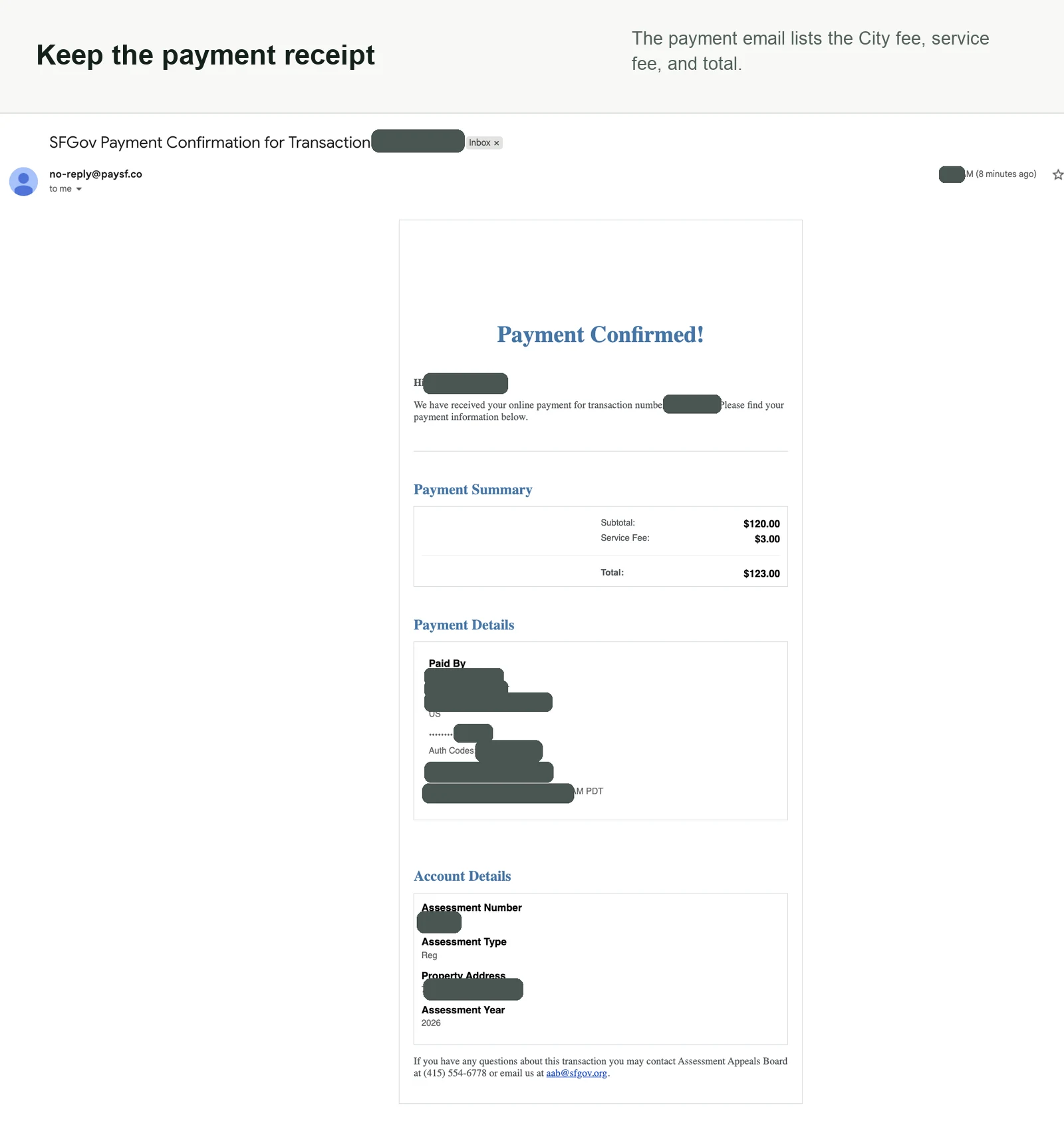
- A payment method for the separate City filing fee
Start: Sign in or create an account
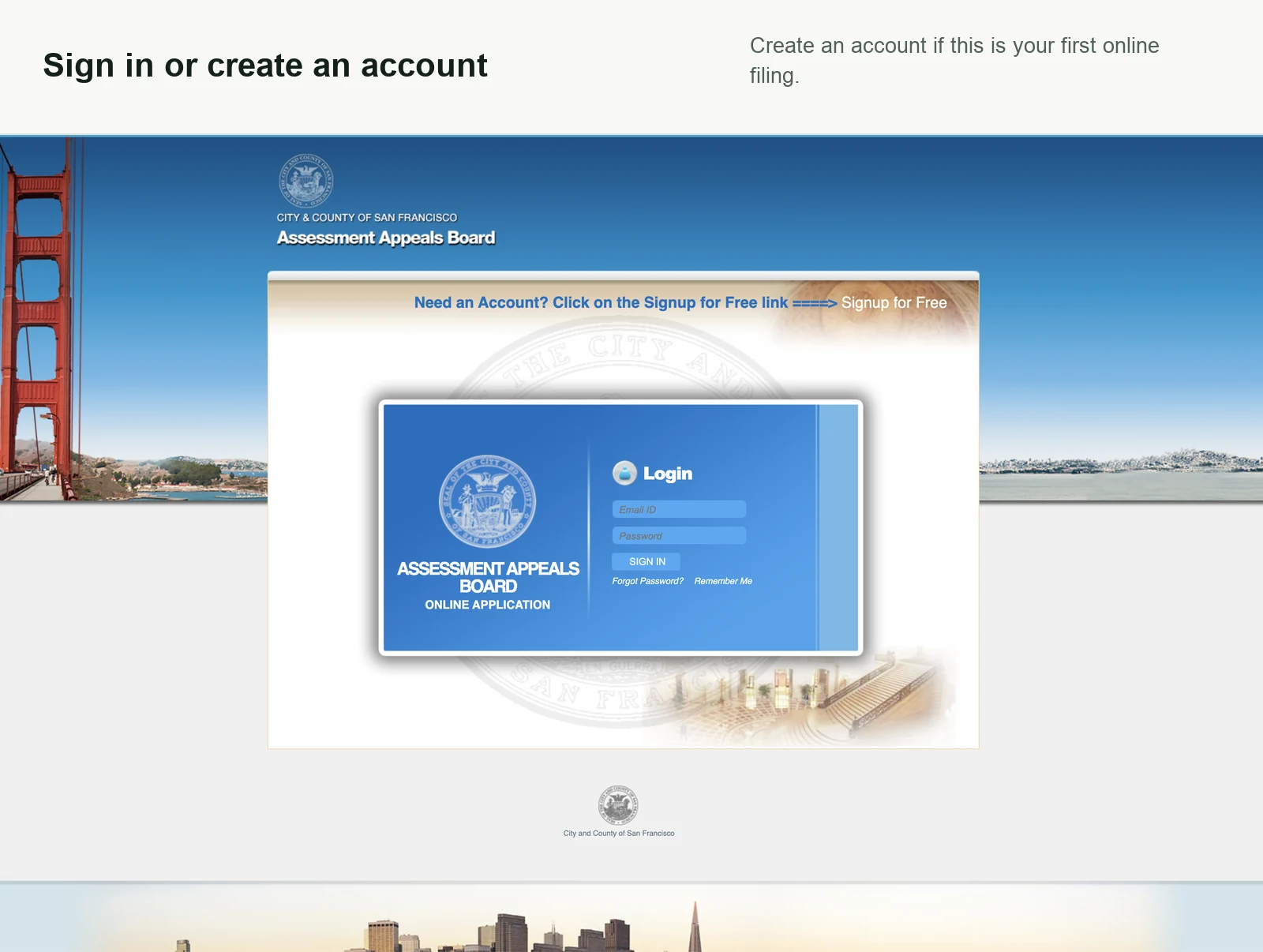
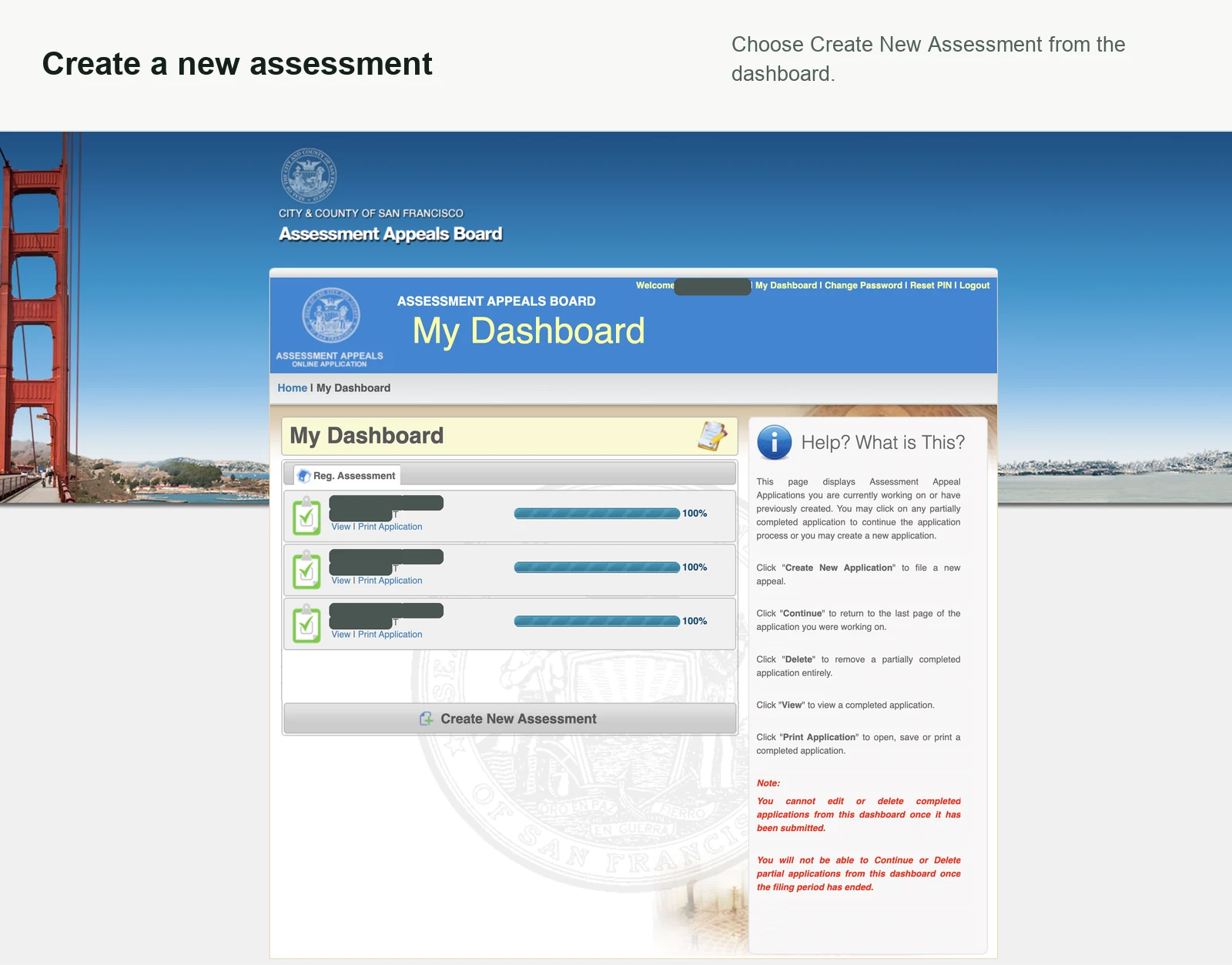
Sign in to the Assessment Appeals Board portal, then create a new assessment from the dashboard.
Setup: Choose the filing and assessment type
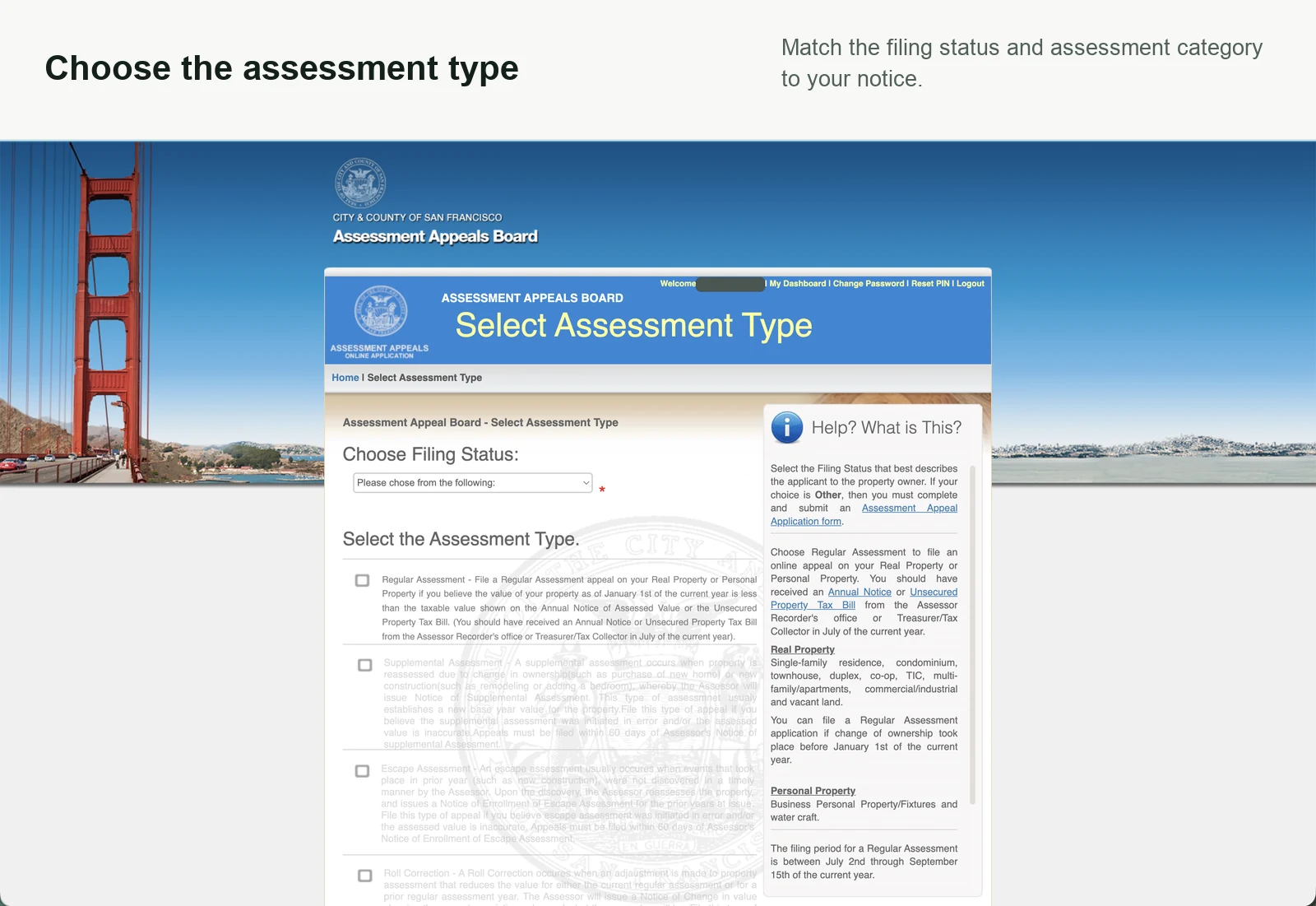
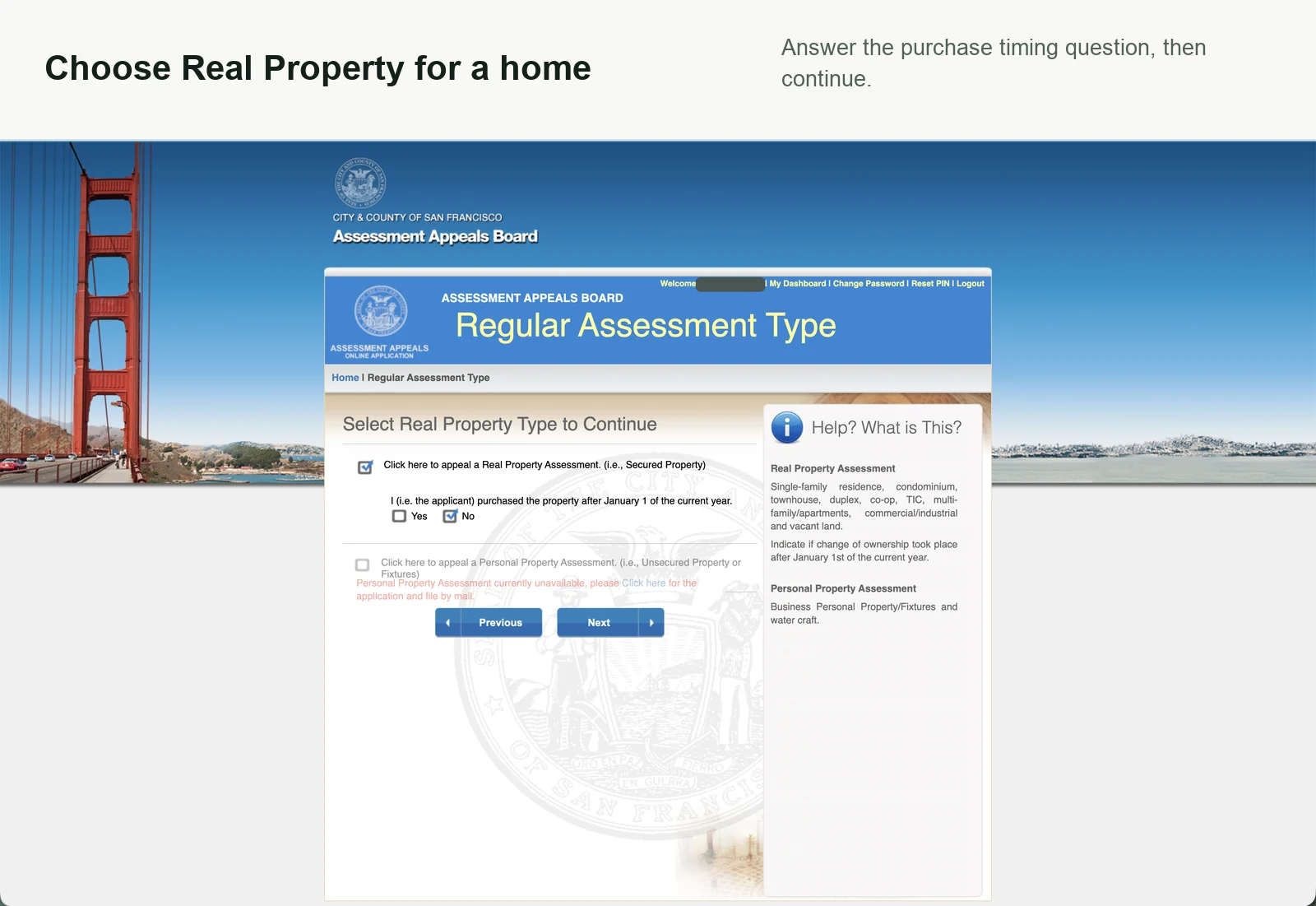
Choose the status and assessment type shown on your notice. A typical annual home assessment uses Regular Assessment and Real Property.
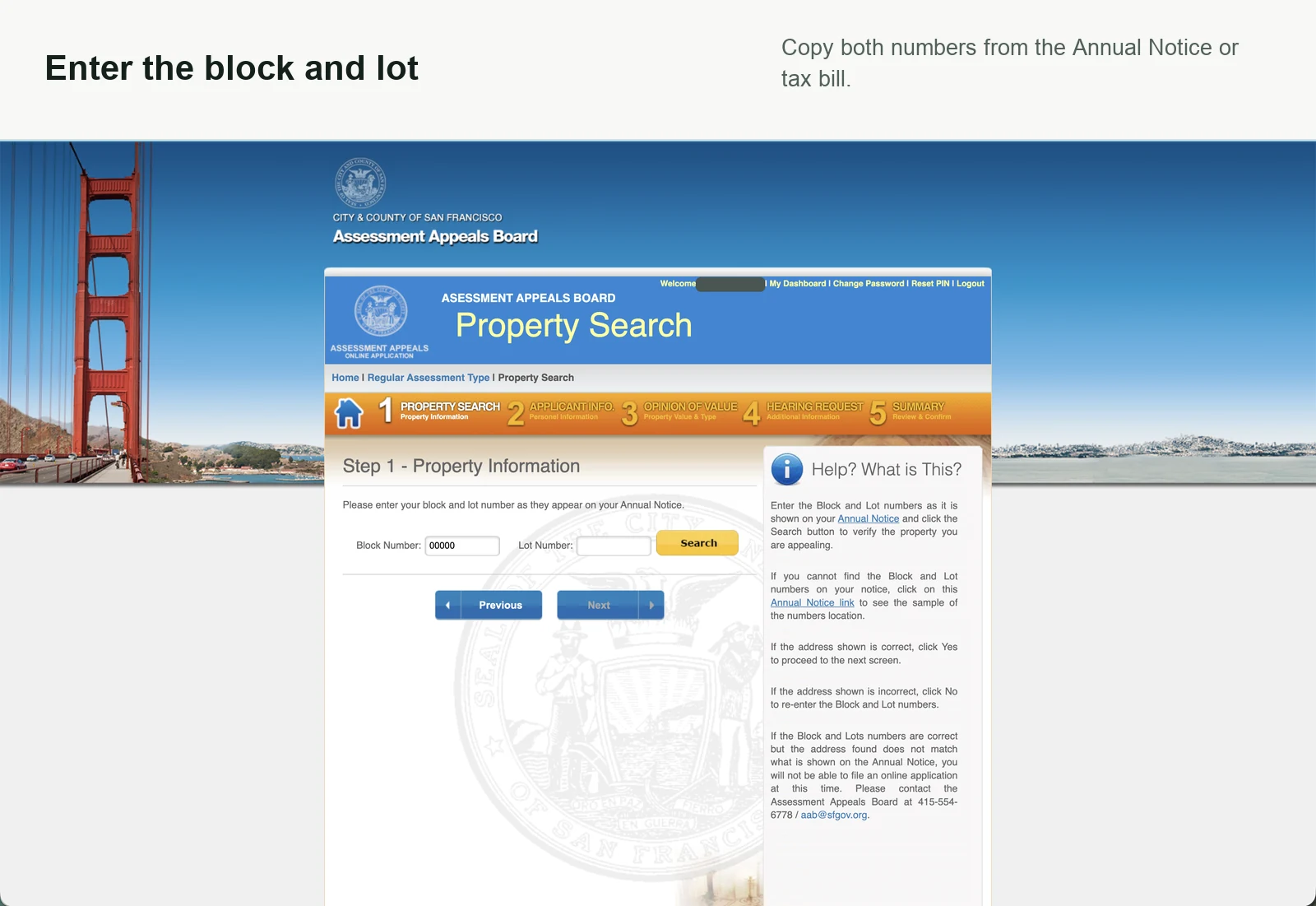
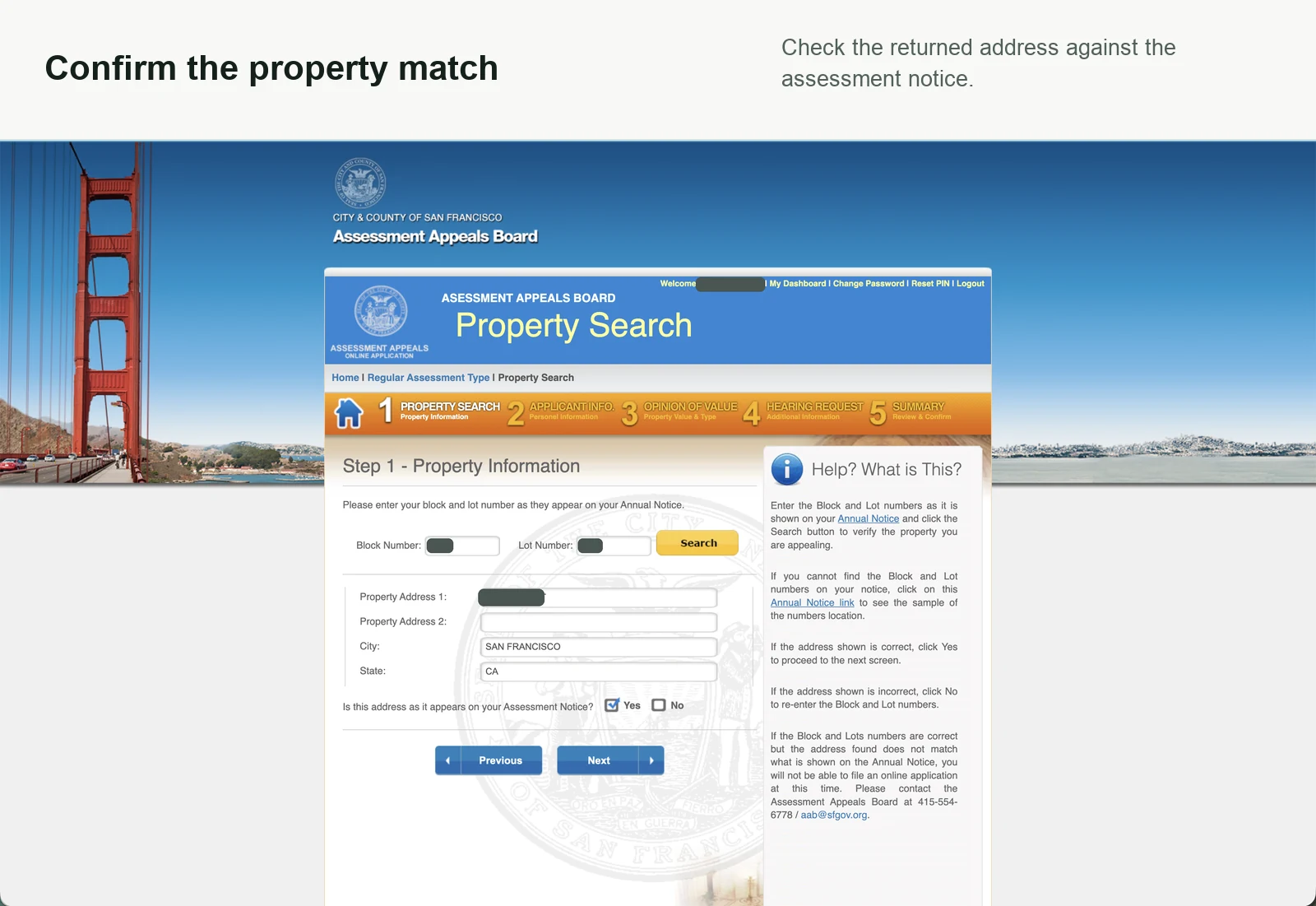
Portal step 1: Find and confirm the property
Search with the block and lot, then check the returned address against your notice.
If you only have the street address, use the official SF Property Information Map to find its block and lot.
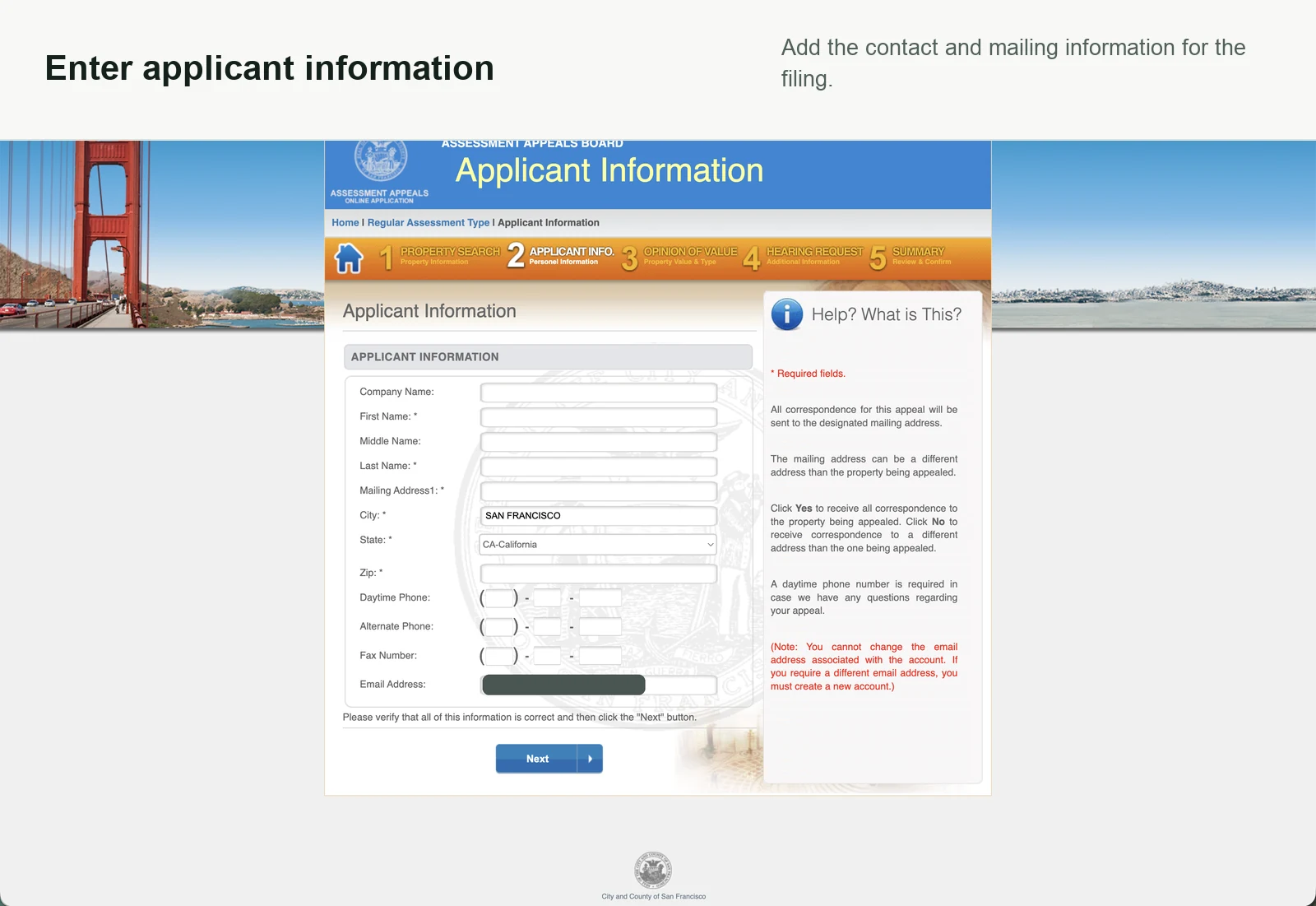
Portal step 2: Enter applicant information
Confirm who is filing and where the Board should send correspondence.
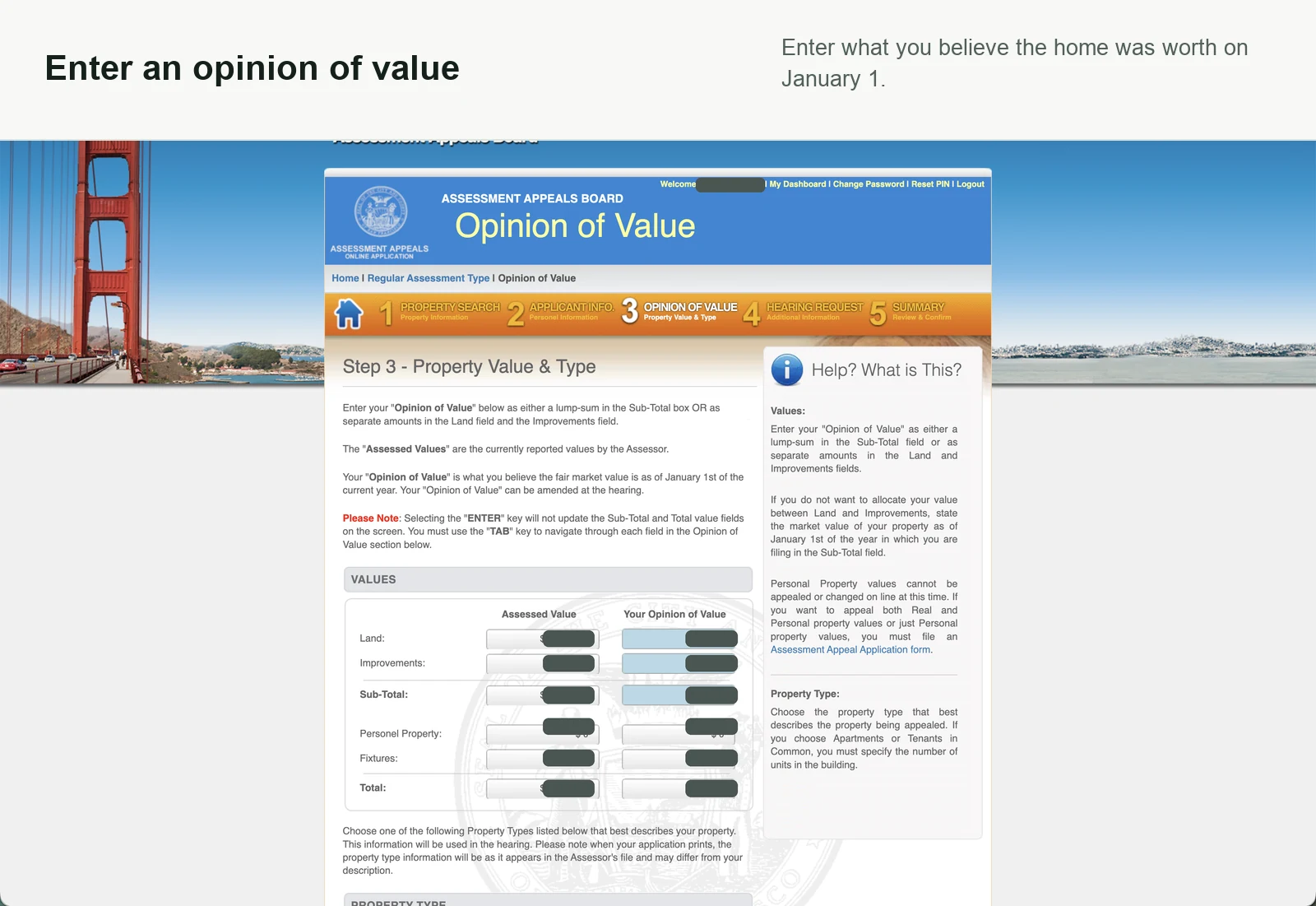
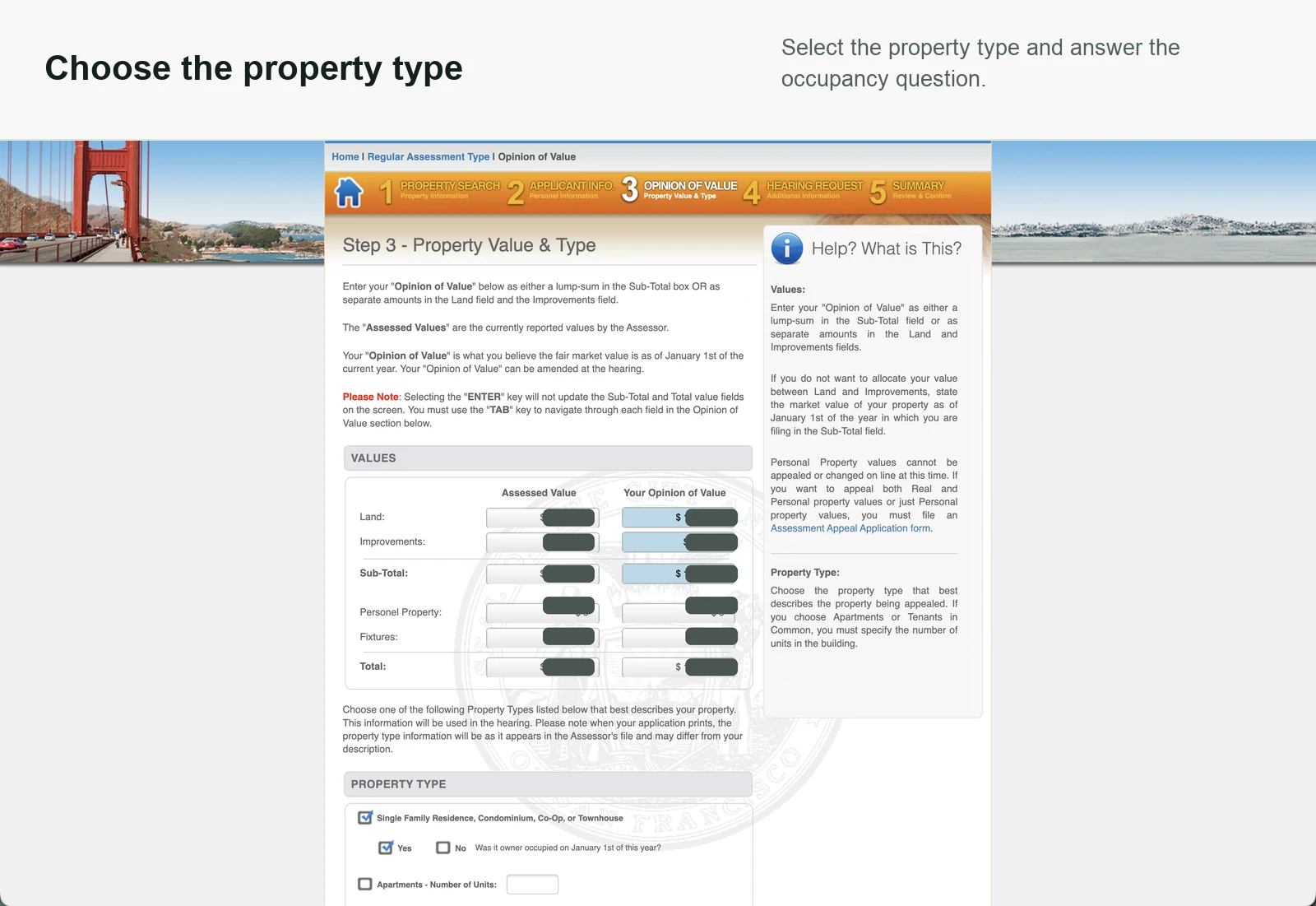
Portal step 3: Enter the January 1 opinion of value
Enter what you believe the property was worth on January 1.
Land vs. improvements
Start with your opinion of the property's total market value, usually based on comparable sales for a home.
If you do not have a reliable way to split the value, the portal accepts one Sub-Total. If you make a split, you can use the current assessed land share as a starting point: land = total opinion × assessed land ÷ assessed total. Improvements are the remainder.
Change that split only when your evidence supports it, and make sure Land plus Improvements equals the Sub-Total. Allocation disputes follow different rules. See the California assessment appeal FAQ and BOE allocation guidance.
Build the evidence for your value
- Search for the property address and choose the correct unit or parcel.
- Review the comparable sales and select up to three homes that best match the property.
- Download the City comparison worksheet PDF and use the evidence to choose your January 1 opinion of value.
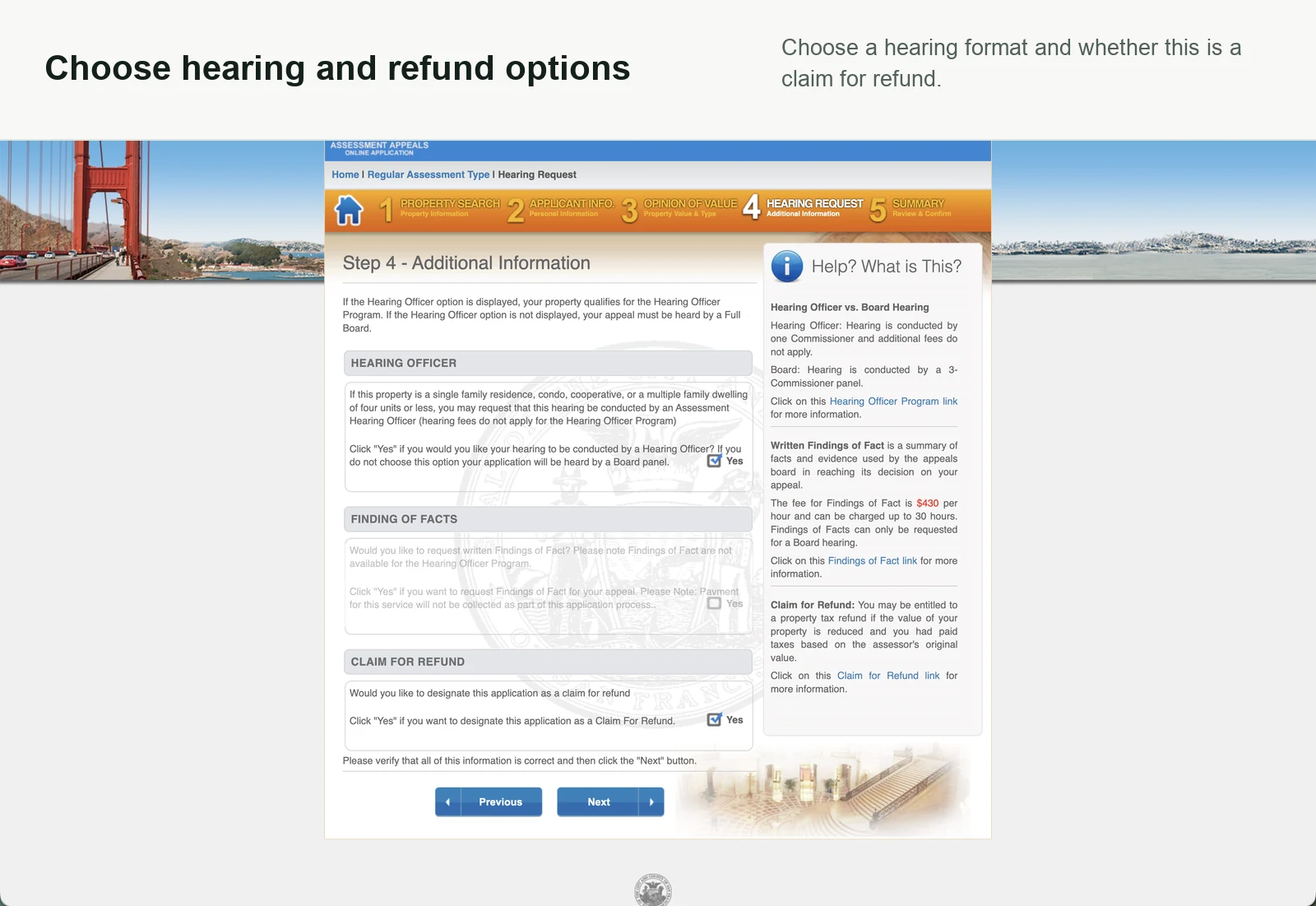
Portal step 4: Choose hearing and refund options
Choose the hearing format and whether the application is also a claim for refund.
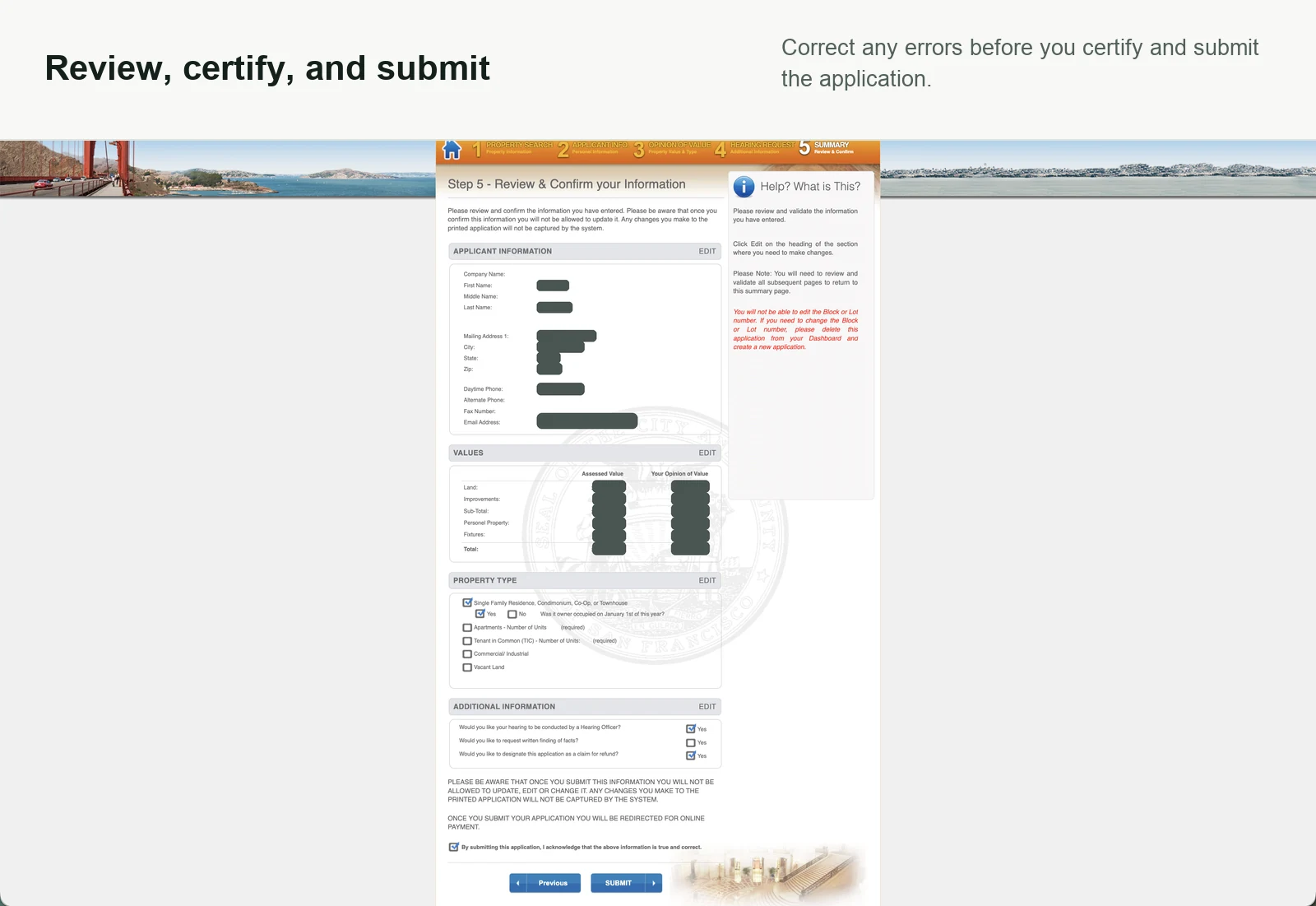
Portal step 5: Review, certify, pay, and save proof
Correct any errors, certify the application, and pay the City filing fee.
Confirmation: Save both emails
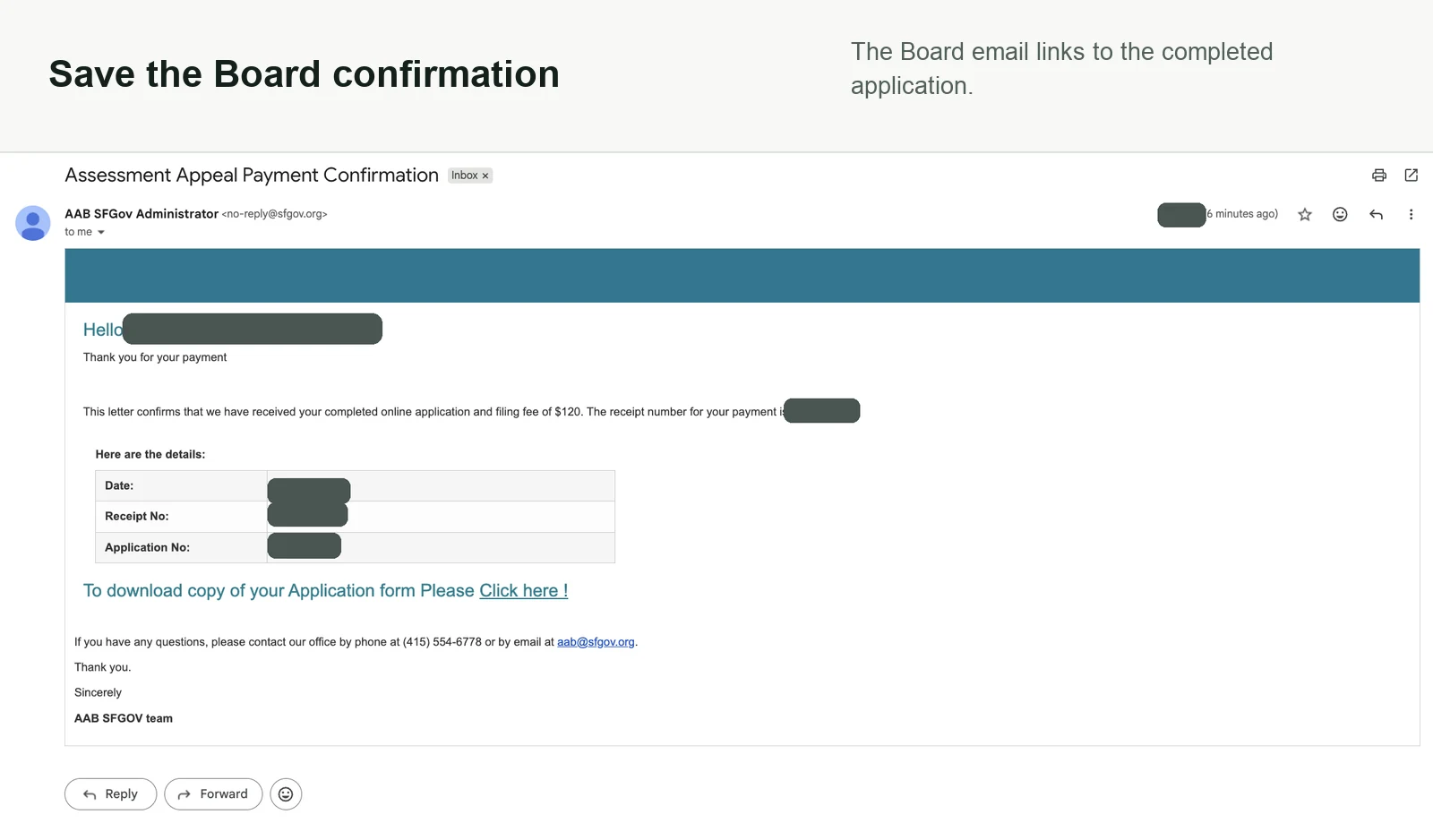
Keep the payment receipt and the Board confirmation with your completed application.
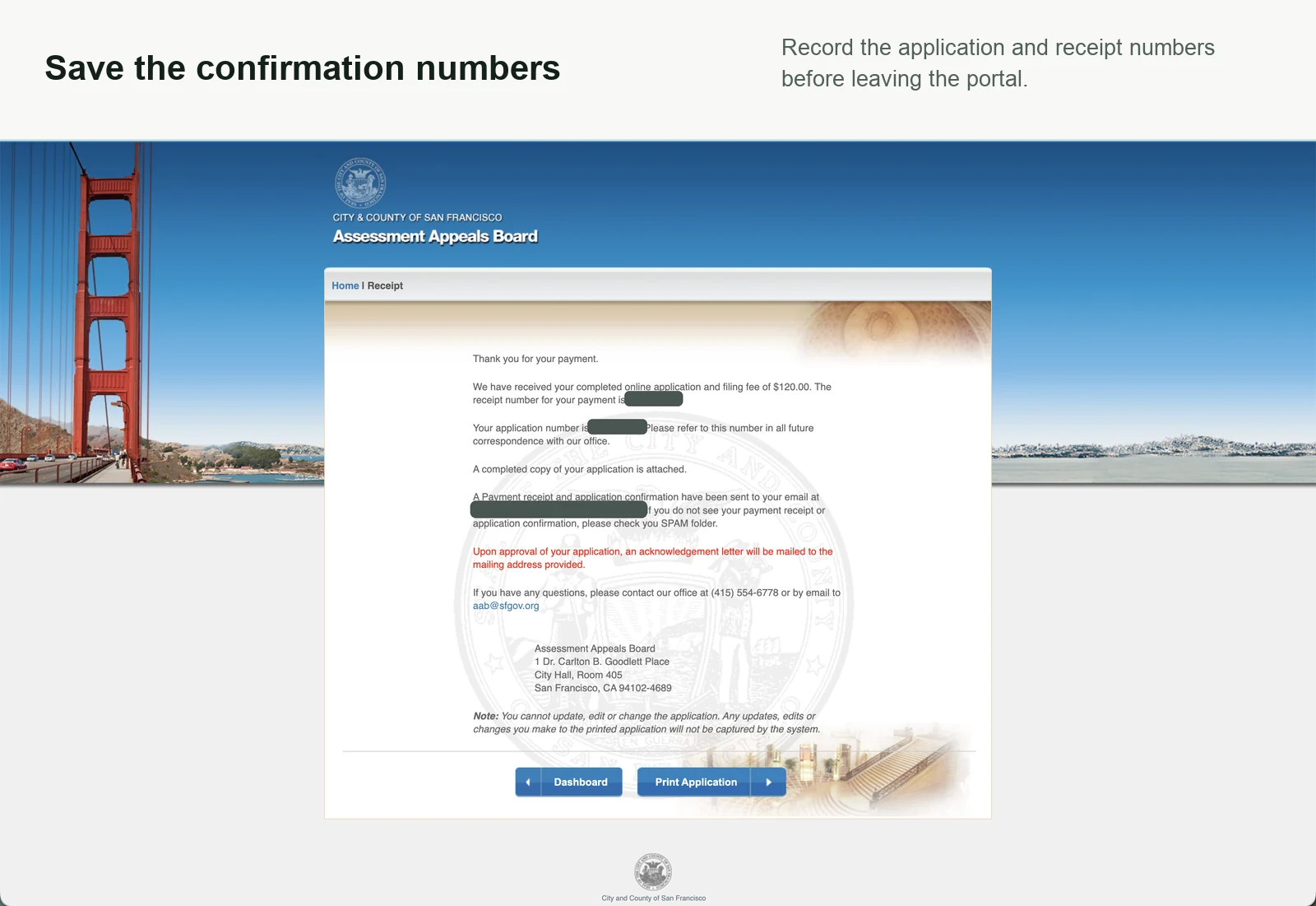
Watch your inbox. You should receive two confirmation emails within a few minutes: a payment receipt and an Assessment Appeals Board confirmation. Check spam if they do not arrive.
Wait.
A past appeal took about 24 months to receive a response. That is one applicant's experience, not a promised City timeline.
Keep the confirmation emails, application number, receipt, and evidence together while you wait.